
Following the DBModel structure, we create a Model, in this day, ‘alumno’, ‘curso’, ‘asignatura’. All with em form and tree views, So, now we create an ‘View Action - Accion de Ventana’. lookin good
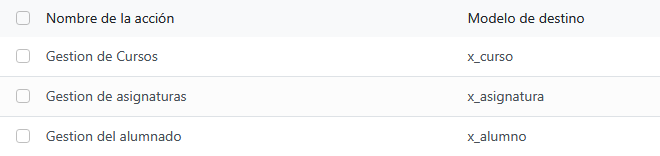
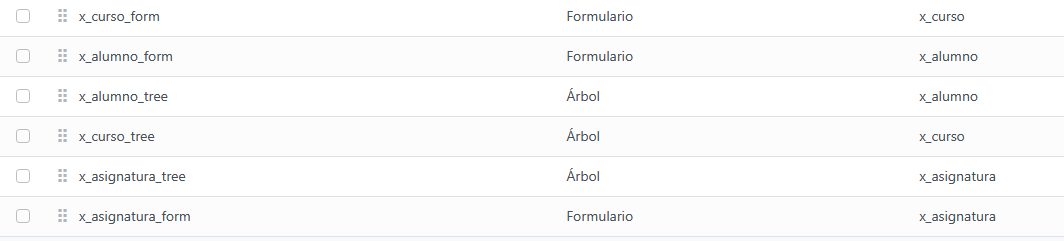
Now, we create a ‘Menu Element-Elemento del menu’, and we create a ‘Father Menu’ called ‘instituto’, and then we create a Menu for each of the 3 things and then we give for each Model permissions, creating a new Permission with all RWCE (Read, Write, Create n Eliminate). FOR EACH Model
Now, we’re goin to create a report, using “Informes” under “Formato en papel”.
So, first things first we create a new Informe “alumno.informe”, with the the QWEB code in “Arquitectura”
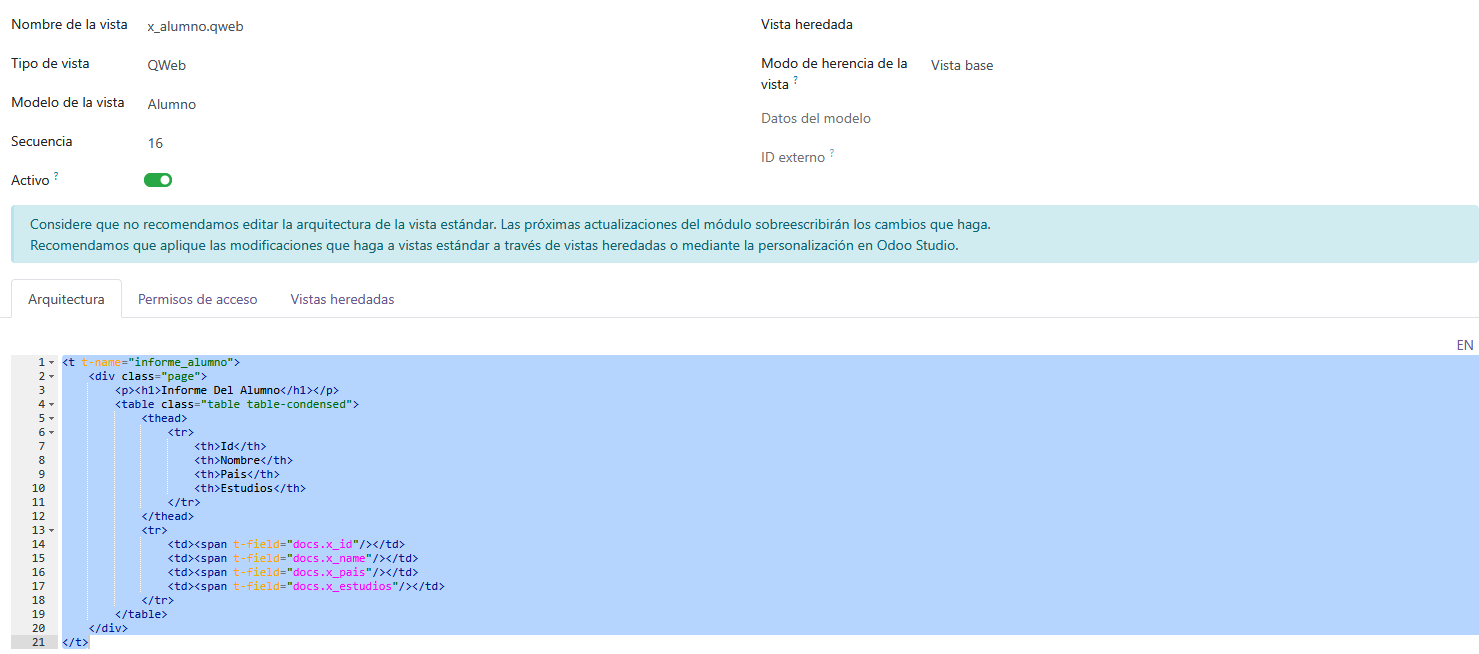
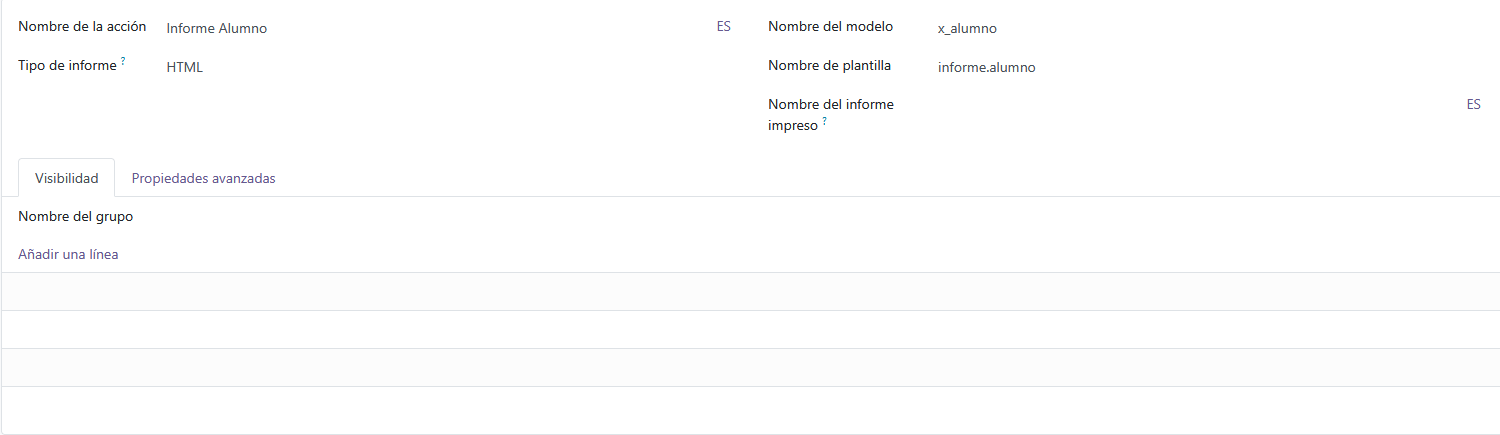 This image is the “Informe” view.
id=1855, ts is importante for the next step
Now, we create an “Identificador externo” as followed:

Where “Modelo” is the first word before the dot, of the name that we gived to the view “informe.alumno” The “Identificador Externo” is the second word after the dot, “informe.alumno” The “ID de Registro” is the ID that we saved before, 1855
Activity (Autor-Libros)
Now we doin the same thing, but with just 2 models (Autor & Libro).
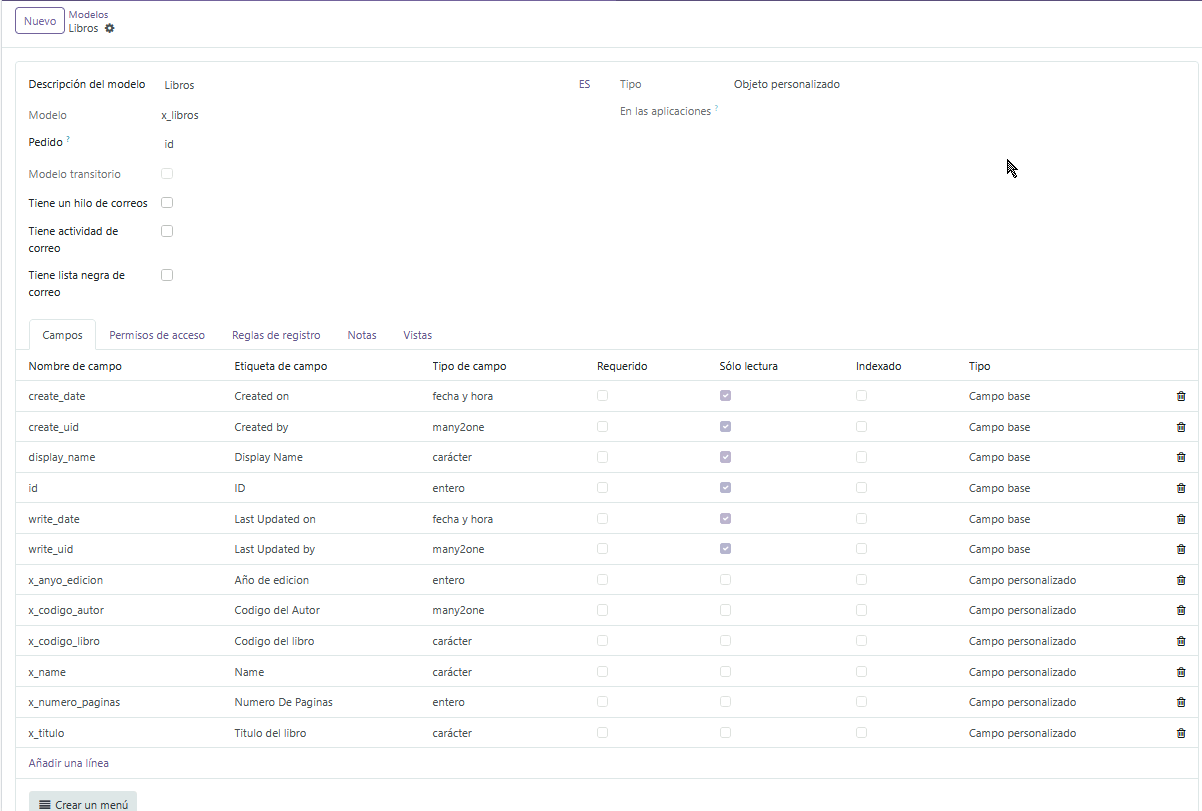
So, first we create the models, like ts:
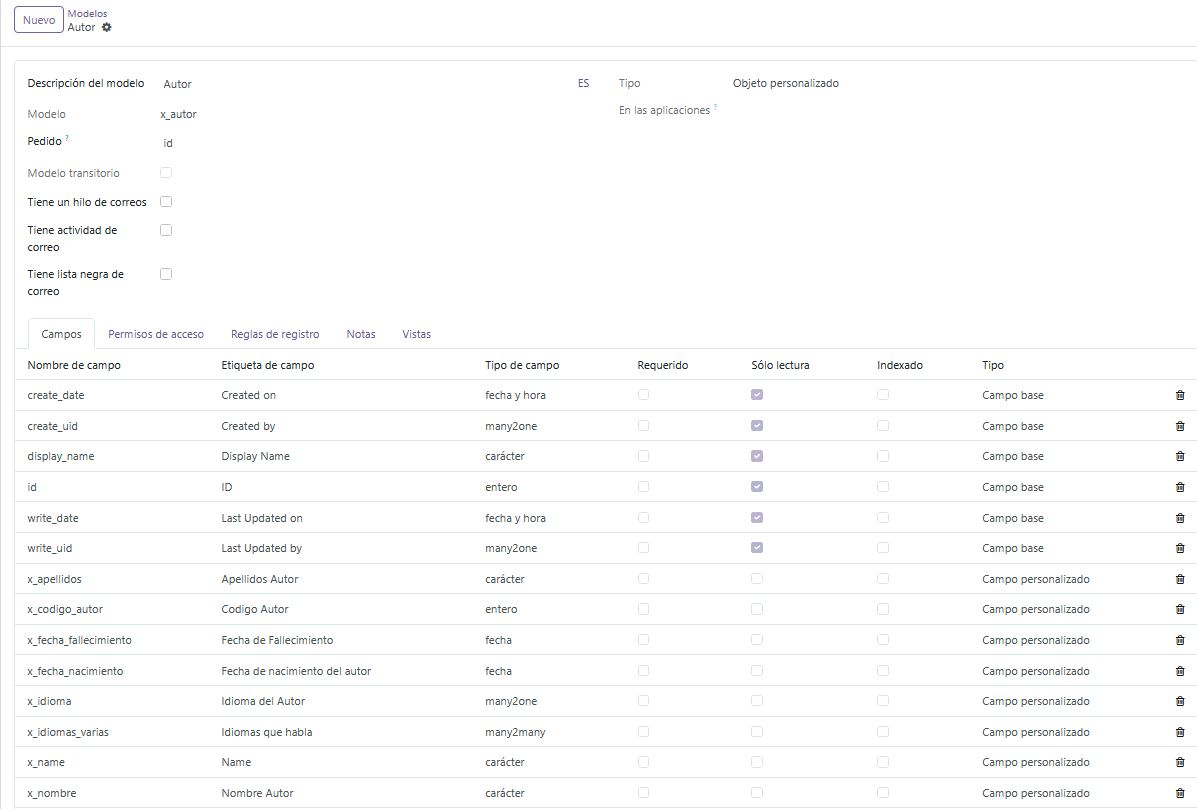 tis is Autor
Second thing, we create the damn views, like ts:
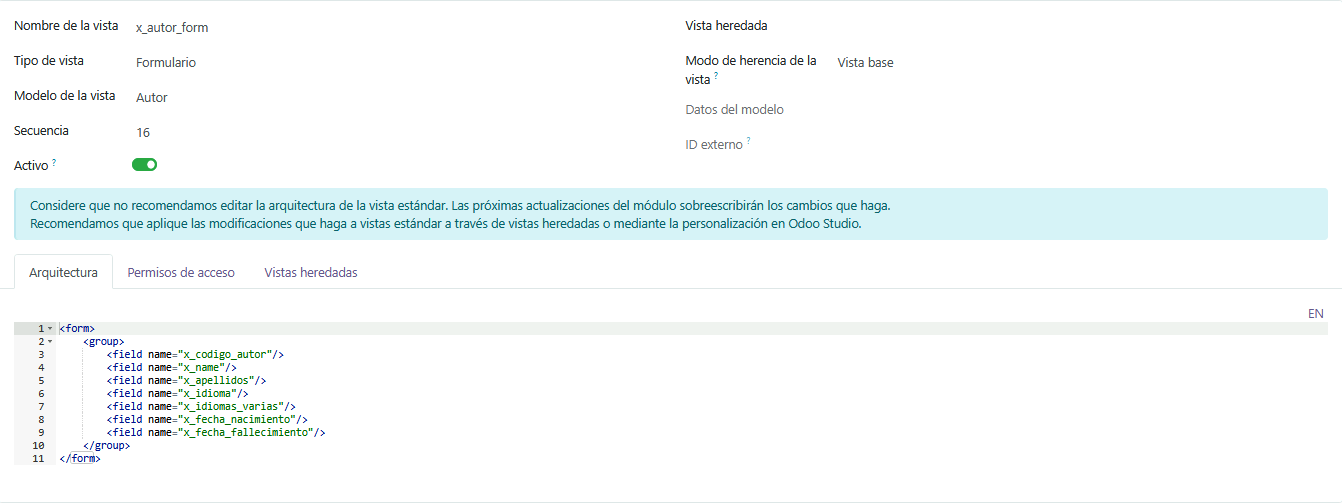
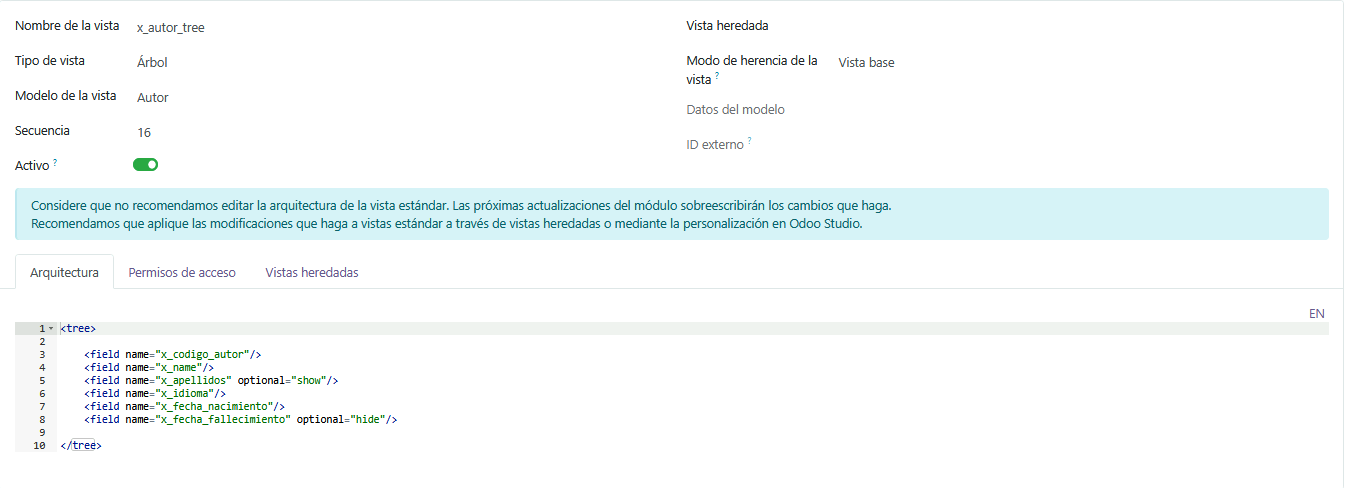 tis is Autor
This is Libro:
This is Tree code:
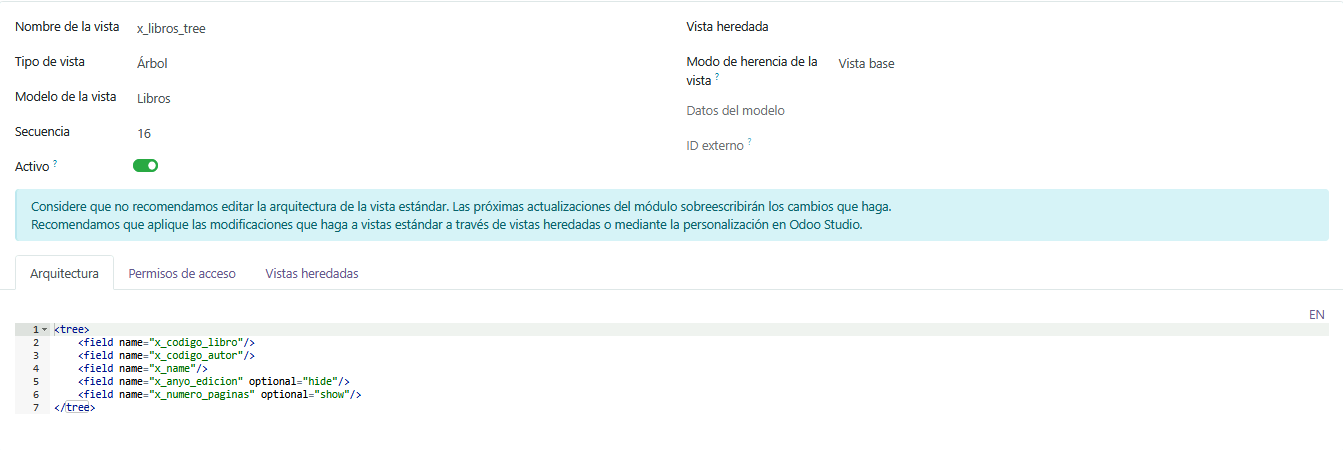 This is Form code:
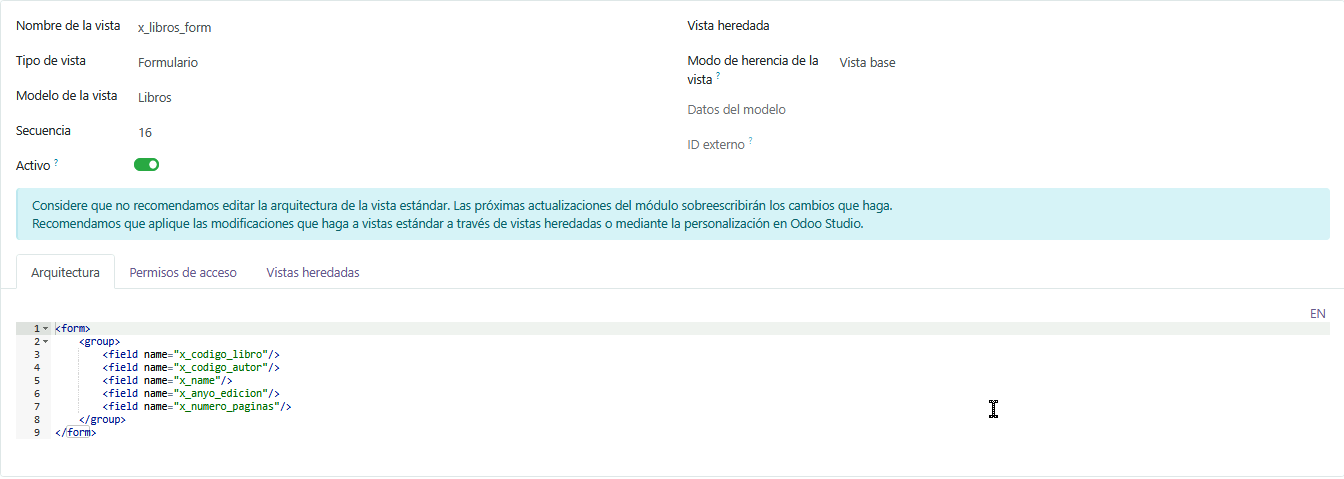 This is Qweb for the Informe of Libro:
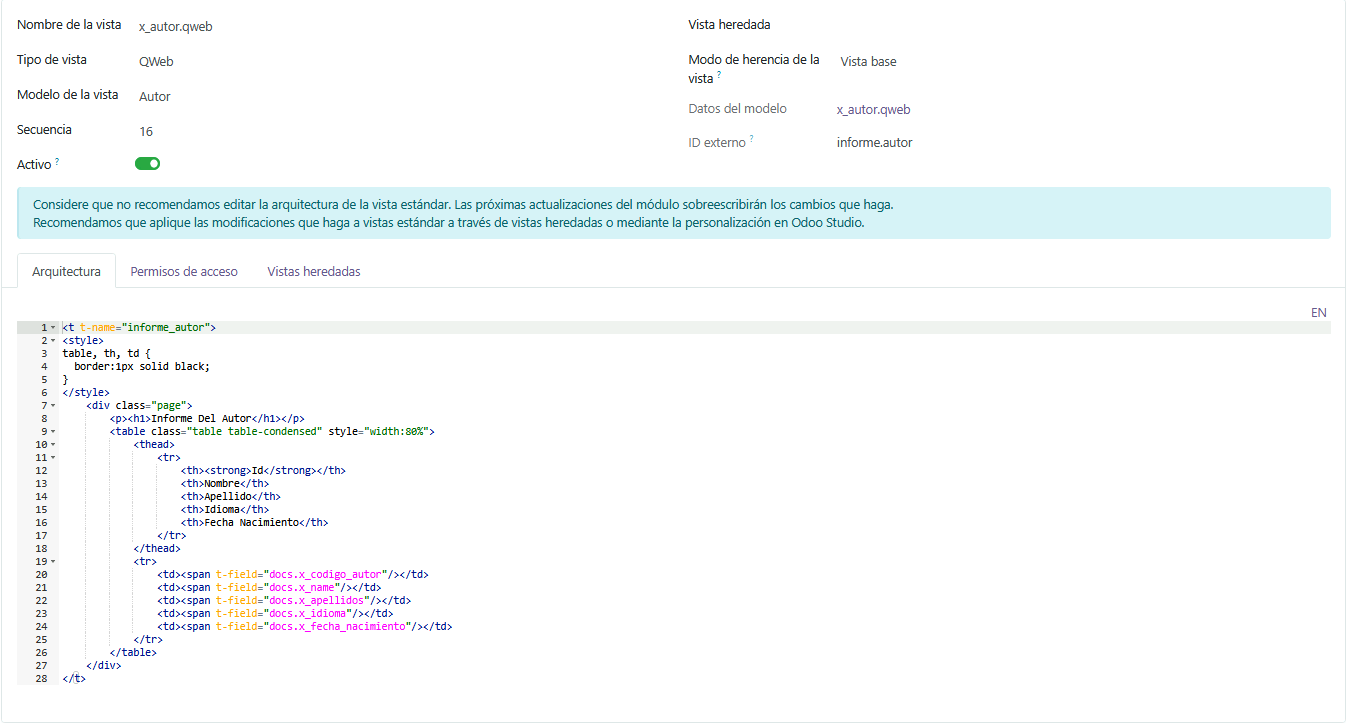 Now we go to Window Actions (Acciones De Ventana)
This is Autor:
Now we go to Window Actions (Acciones De Ventana)
This is Autor:
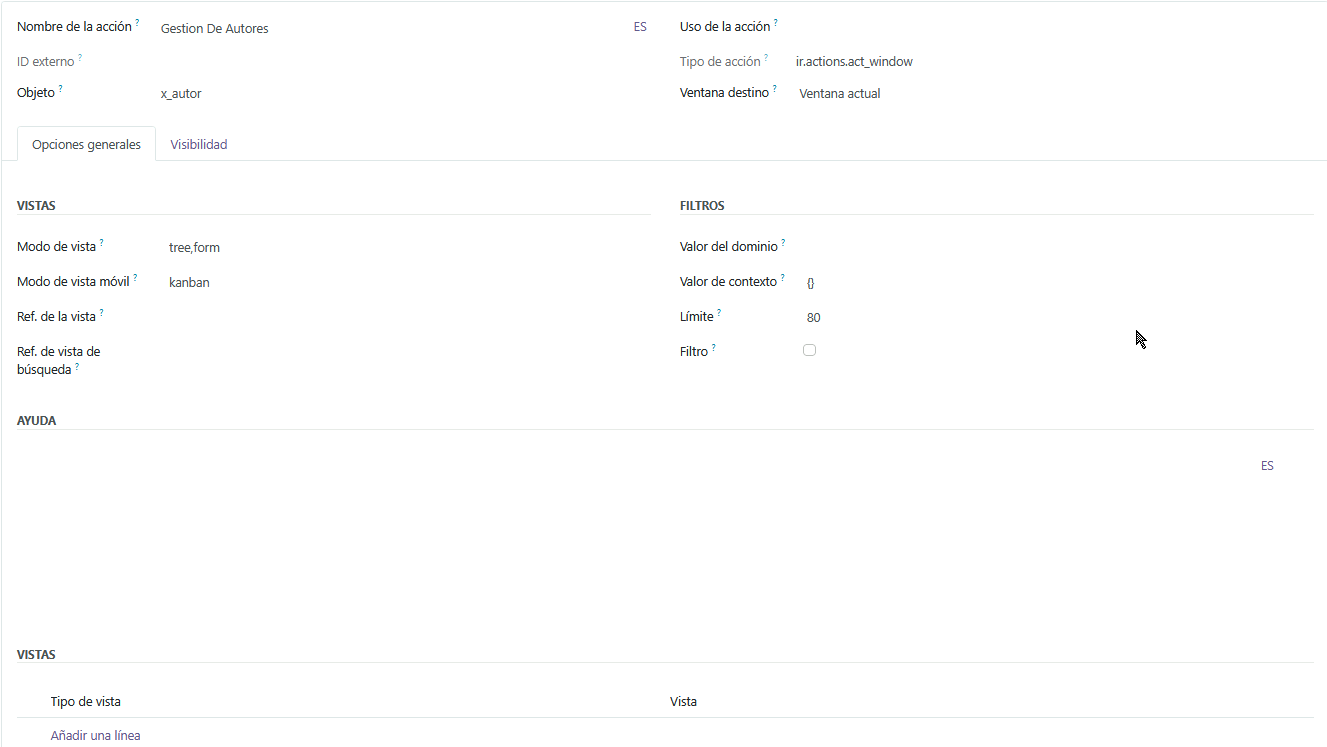 This is Libro:
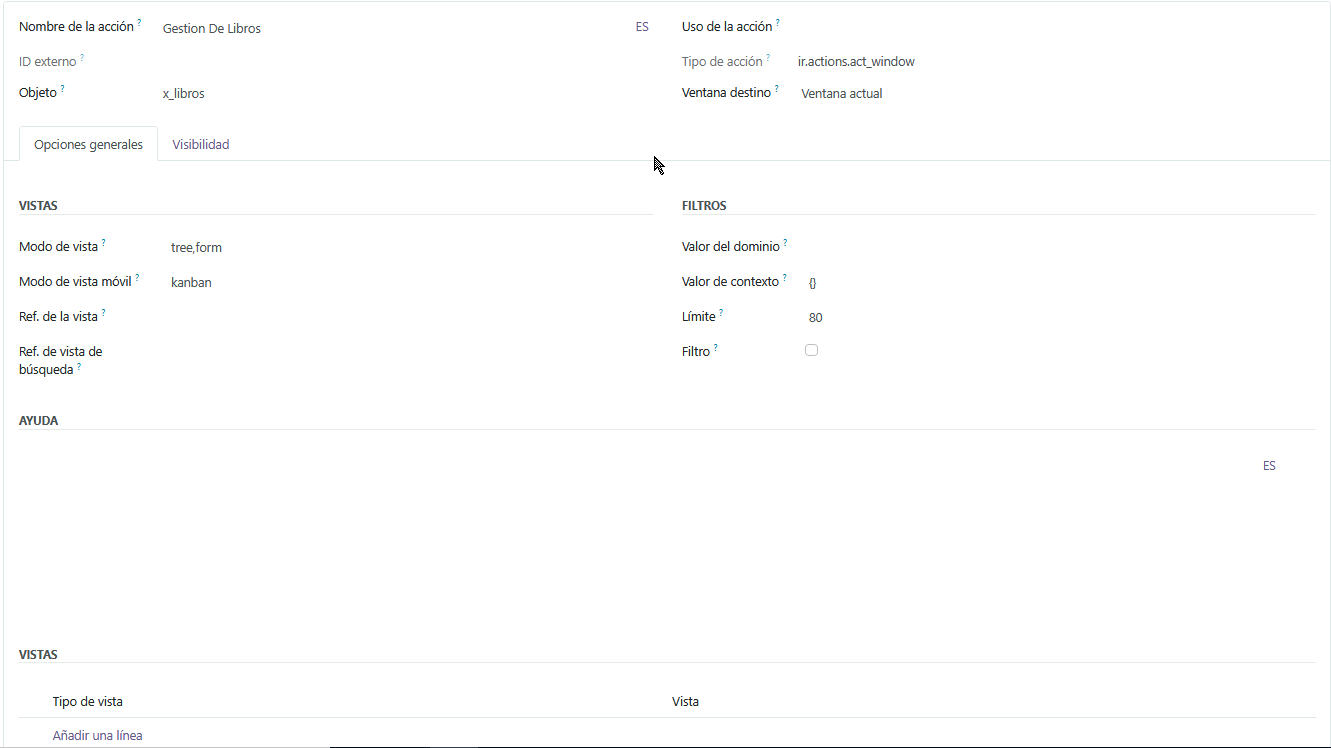 Now we have out Window actions, now its time for Menu Elements (Elementos Del Menu)
This Biblioteca, the Father of them 2:
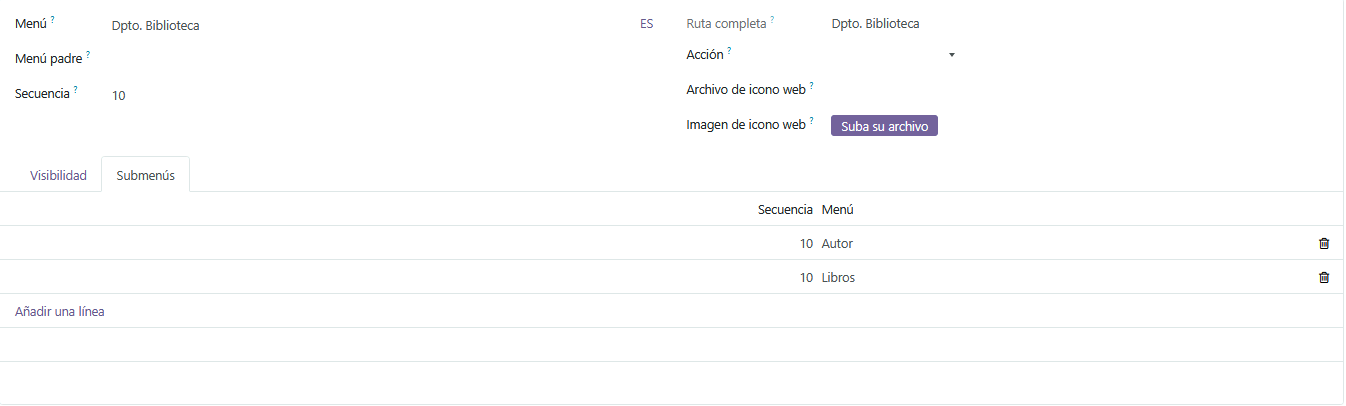
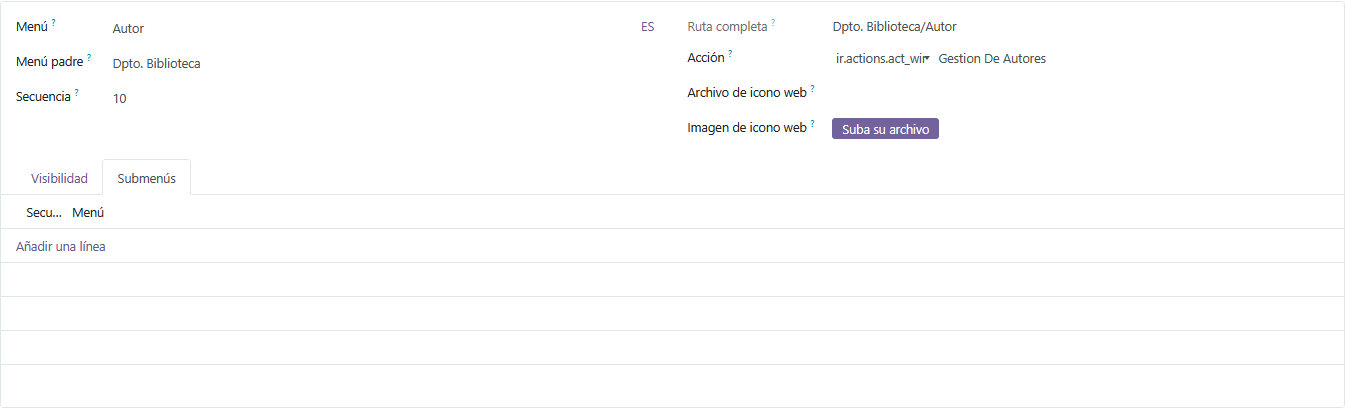
This is Autor:
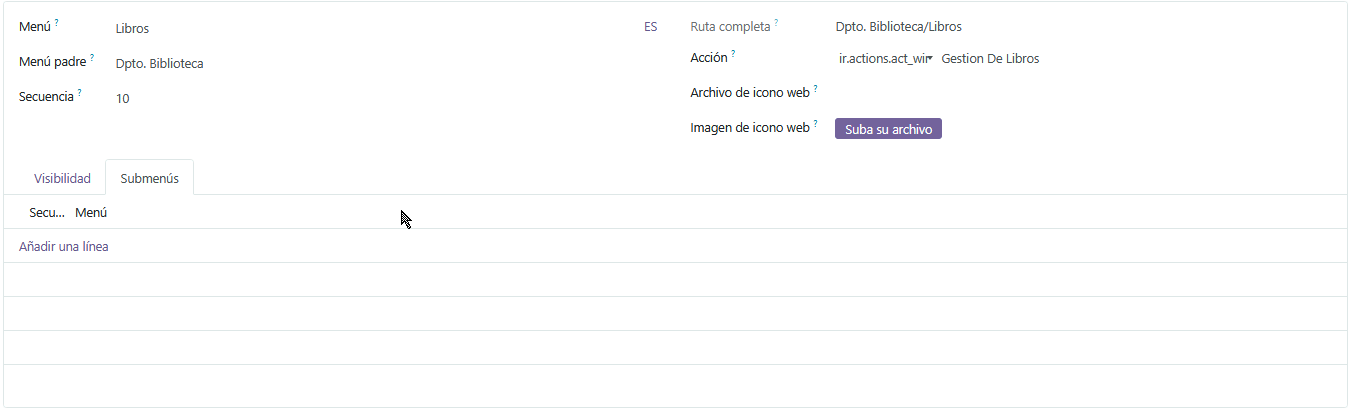
This is Libro:
Now if ya wanna create a Report, called Informe, and as we already coded the QWEB view of Libro, lets dive into it. We create an External Identifier (Identificador Externo)
 With this it will be done, we copied the ID of the QWEB view of Libro. So everything is setted up now.